Unreal Tournament 2004 on Apple Silicon, Natively on Metal
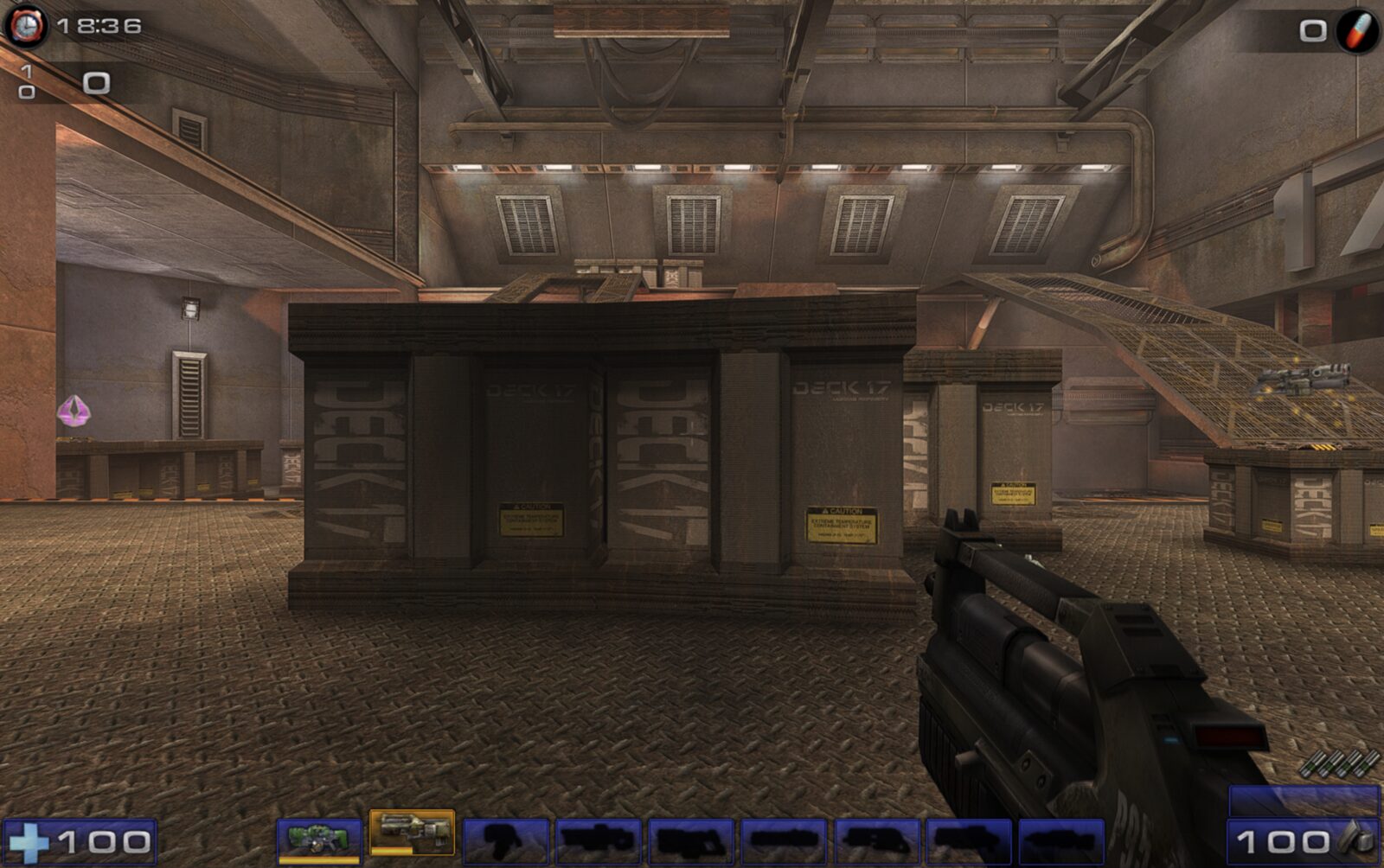
Unreal Tournament 2004 was the game of my teenage years. So when I found K-Adam’s open source port of the engine, which builds the original code with CMake for Linux, Windows, Android and the web, I wanted one more platform: my MacBook Pro, natively, on Apple Silicon.
This post is about how that went. It runs on arm64 macOS now, with a native Metal renderer and a pile of improvements on top. I set the direction and made the calls: what to build, in what order, what had to be proven with numbers, and what was good enough to ship. Claude Code did most of the implementation.
Step One: Make It Run
The engine already had an OpenGL renderer, and on the Mac OpenGL is deprecated and stuck at 4.1. The first macOS build went through ANGLE, which translates OpenGL ES to Metal. It worked, but it was a translation layer on top of a translation layer.
So the bigger project became MetalDrv: a render device written against Metal directly, sitting next to the OpenGL one and sharing everything that isn’t API specific, starting with the shaders.
On top of that, Apple’s MetalFX upscaler lets the world render at 67% of the screen and scale up, which roughly halves the work of every effect.
Step Two: Measure Before You Believe
This is the part I enjoyed most, and the one with a lesson.
Early on I pushed back on a claim that sounded right but had no measurement behind it. From then on, the rule was simple: no claim without a number. Every change came with a profile, a GPU trace, or a benchmark run, and that rule paid for itself many times over.
The CPU profile
With 16 bots on DM-Deck17, the game was CPU bound at about 200 fps. A Time Profiler trace showed where the main thread actually spent its time, and some of it shouldn’t have been there at all:
| Hot spot | Share of the main thread | What was going on |
|---|---|---|
| Reflection probe lookups | 14.8% | A 256-entry cache that flushed constantly, so every object re-ran 30 line traces |
appCycles() |
8.1% | The engine’s stat timer went through clock_gettime on every call |
| Skinned mesh buffers | 5.9% | A brand new GPU buffer for every character, every frame |
| Material key hashing | 1.4% | A bytewise CRC on every draw |
Fixing those four took the renderer’s share of a frame from about 2.4 ms to 1.6 ms. Caching which state each draw had already bound shaved off a bit more.
A second thread for a single-threaded engine
UT2004 comes from the single-core era. One thread runs everything that matters: game logic, physics, visibility, and every draw call. Only small helpers, for audio output and file streaming, run beside it. In the first profile, 88% of the game’s CPU time was on that one thread, while the M4 Max’s other cores sat almost idle.
With the four fixes in, what was left of the renderer’s share was mostly Metal’s own cost of encoding draw calls. That work doesn’t need to happen on the game’s thread. So MetalDrv got a render thread: the game thread queues its draws, clears and target switches, and the render thread hands them to Metal in order, while the game thread moves on to the next frame’s logic. Buffers and textures are freed only after the draws that used them, and the game thread only waits when it has to, for screenshots or the start of a frame.
Before: one thread does all of it, one step after another, and the other cores wait.
graph LR
    subgraph Core1["One core"]
        direction LR
        GL["Game logic
and physics"] --> VIS["Visibility,
materials"] --> ENC["Metal encoding
of every draw"] --> PRES["Present"]
    end
    subgraph Idle["Other cores"]
        IDLE["Mostly idle"]
    end
    PRES --> GPU1["GPU"]

    style Core1 fill:#2c3e50,color:#fff
    style Idle fill:#34495e,color:#fff
    style GL fill:#3498db,color:#fff,stroke:#2980b9
    style VIS fill:#3498db,color:#fff,stroke:#2980b9
    style ENC fill:#e74c3c,color:#fff,stroke:#c0392b
    style PRES fill:#3498db,color:#fff,stroke:#2980b9
    style IDLE fill:#95a5a6,color:#fff
    style GPU1 fill:#2c3e50,color:#fff,stroke:#34495e
After: the encoding moves to a second core, beside the game.
graph LR
    GT["Game thread
game logic, physics,
visibility, materials"] -->|"queued draws,
clears, targets"| Q["Command queue"]
    Q --> RT["Render thread
Metal encoding,
present"]
    RT --> GPU["GPU"]
    GT -.->|"waits only for
readbacks and
frame start"| RT

    style GT fill:#3498db,color:#fff,stroke:#2980b9
    style Q fill:#f39c12,color:#fff,stroke:#e67e22
    style RT fill:#27ae60,color:#fff,stroke:#229954
    style GPU fill:#2c3e50,color:#fff,stroke:#34495e
Encoding dropped from about 12.5% of the game thread to 1%, and the render thread itself is busy only about 12% of the time. The median frame in the 16-bot match went from 3.55 ms to 3.14 ms, about 12% faster, from work that was already being done, just on a core that had nothing else to do.
A benchmark that doesn’t lie
Bot matches turned out to be terrible benchmarks: the same run could swing by 20% because the bots never do the same thing twice. Digging into the engine turned up the old retail benchmark mode, which plays at a fixed 1/30 s per game frame, and the flyby cameras some maps still have. A small script now runs flybys and bot matches several times and reports median frame times. Run to run spread dropped to 2-5%, which is the difference between a measurement and a guess.
The surprise: power and smoothness
With vsync on, which is how I actually play, the frame rate is capped at 120 Hz anyway, so I expected the CPU work to just turn into idle time. Then we measured:
| DM-Antalus flyby, vsync on | Before | After |
|---|---|---|
| CPU power (game process) | 3.47 W | 0.43 W |
| Average fps | ~85 | ~117 |
| 90th percentile frame time | 22-27 ms | 9.8 ms |
| Memory | 648 MB | 640 MB |
The old build had been missing the 120 Hz refresh on more than one frame in ten, mostly from bursts of probe retracing, and it was running the CPU hard to do it. None of that showed up in the uncapped benchmarks, which only looked at the median.
Step Three: Reworking the Shaders
One shader source, two renderers
UT2004 describes surfaces as material graphs, and the port turns each one into GLSL, the shading language OpenGL uses. Writing everything again in Metal Shading Language would have meant two copies of every shader to keep in sync. Instead MetalDrv translates:
graph LR
    MAT["Material graph"] --> GLSL["GLSL
(shared with OpenGL)"]
    GLSL --> GLS["glslang"]
    GLS --> SPV["SPIR-V"]
    SPV --> SPC["SPIRV-Cross"]
    SPC --> MSL["Metal Shading
Language"]
    MSL --> PSO["Pipeline state
(binary archive)"]

    style MAT fill:#2c3e50,color:#fff,stroke:#34495e
    style GLSL fill:#3498db,color:#fff,stroke:#2980b9
    style GLS fill:#5dade2,color:#fff,stroke:#3498db
    style SPV fill:#5dade2,color:#fff,stroke:#3498db
    style SPC fill:#5dade2,color:#fff,stroke:#3498db
    style MSL fill:#27ae60,color:#fff,stroke:#229954
    style PSO fill:#f39c12,color:#fff,stroke:#e67e22
Translation and compilation happen on background threads. A draw whose shader isn’t ready yet is skipped for a frame rather than stalling the game, and the loading screen waits for the shaders the level precaches. Both the translated source and Metal’s compiled pipeline states are cached on disk, so the second time you play a map nothing compiles at all.
The translation route has quirks. glslang compiles with Vulkan’s rules, and Vulkan’s GLSL has no gl_NumSamples, so any shader asking how many samples a pixel has failed to build. That had silently broken the foliage fade on Metal. The fix passes the sample count in as a uniform under Metal and keeps gl_NumSamples for OpenGL, behind one macro.
Where the GPU time goes
All the post processing (ambient occlusion, contact shadows, screen space reflections, bounced light, volumetric fog, depth of field, heat haze) runs from the same shared shaders on both renderers. A Metal System Trace of the DM-Antalus flyby showed what each pass costs:
| Pass | GPU time per frame |
|---|---|
| Bounced light | 0.40 ms |
| The level itself | 0.33 ms |
| Composite | 0.25 ms |
| Depth of field | 0.20 ms |
| Volumetric fog | 0.19 ms |
| MetalFX upscale + sharpen | 0.17 ms |
| Everything else | 0.37 ms |
| Total | 1.91 ms |
The effects added on top of the 2004 renderer cost about three times what drawing the level does. Once the CPU side was lean, the GPU was the bigger power draw, so this is where the shader work went.
Cheaper bounced light
Bounced light was the most expensive pass: 16 samples per pixel at half resolution. A history buffer already averages it over about ten frames, so it now takes 8 samples per frame at quarter resolution. That’s still about 80 samples per pixel once the history fills, and it went from 0.40 ms to 0.08 ms, with no difference I could see. The first quarter resolution version made the composite pass slower, because it did an integer division in each of its 16 taps per pixel. A bit shift fixed that.
Antialiasing that actually shows
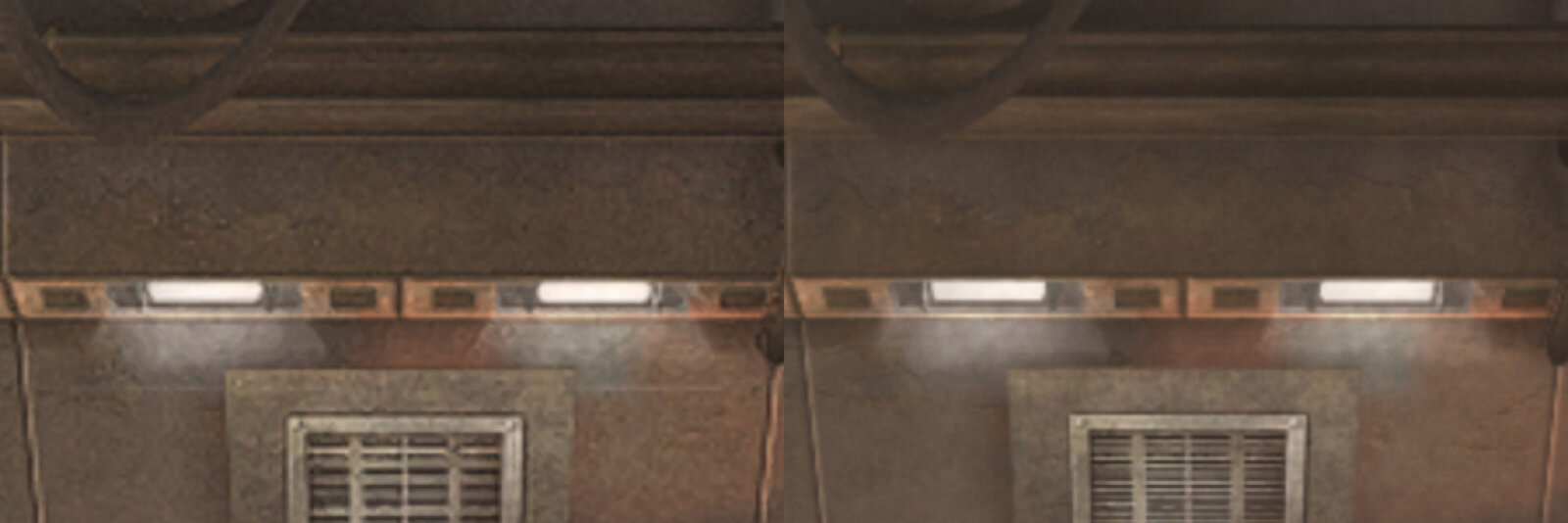
The game felt like it had no antialiasing, though it had 4x MSAA. What I was seeing was the 67% render scale smearing fine detail, plus fences and grates whose cut-out textures MSAA doesn’t touch. Two changes followed.
Alpha to coverage. Alpha-tested surfaces now turn their texture’s edge into a fraction of the pixel’s samples, so fences and grates get antialiased outlines like geometry does. Metal’s built-in alpha to coverage reads the output alpha, which this engine already uses for the heat haze mask, so the shaders write the sample mask themselves. One trap: once a shader writes the mask anywhere, the mask is undefined on every path that doesn’t, and Metal reads that as “no samples”. The HUD vanished until every path wrote a full mask.
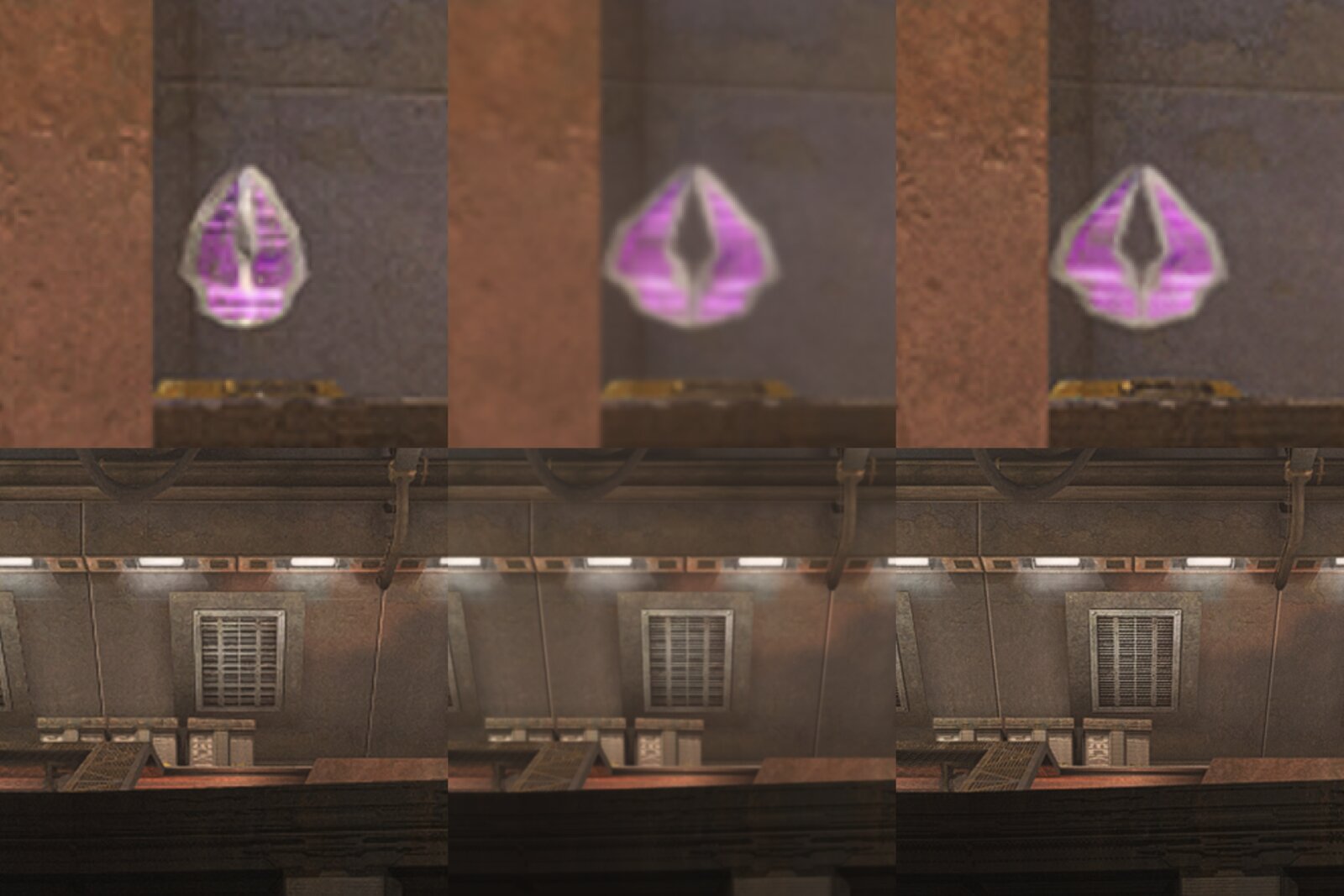
MetalFX’s temporal upscaler. It builds each frame from several jittered ones and gets back detail that 67% loses. It took more shader work than expected:
- Jitter. Every world draw is shifted by a subpixel offset from a Halton sequence, applied in clip space.
- Motion vectors. The first version only knew how the camera moved, so spinning pickups smeared across frames. Now every draw remembers its transform from the previous frame, the vertex shader computes where each vertex was, and the fragment shader writes the motion into a fourth render target. Those shaders are only built while the temporal upscaler is on, so nobody else pays for them.
- Texture mip bias. Even then, the side by side for this post looked softer than the spatial upscaler. Measured with the film grain filtered out, it kept about 85% of native’s detail, the same as spatial. Rendering at 67% makes the GPU pick blurrier texture mip levels, and temporal upscalers expect a bias of log2(render size / output size) to compensate.
- Sharpening and grain. A contrast adaptive sharpening pass in the style of AMD’s CAS now runs after the upscaler, and the film grain moved after it too, instead of being averaged away.
With the mip bias alone, a still view measures 104% of native’s detail at 67% of the rendering cost, and the sharpening pass adds a few hundredths of a millisecond. The temporal upscaler is an option for now, off by default, until it has had more time in real matches.
Step Four: Make It Sound Like 2004
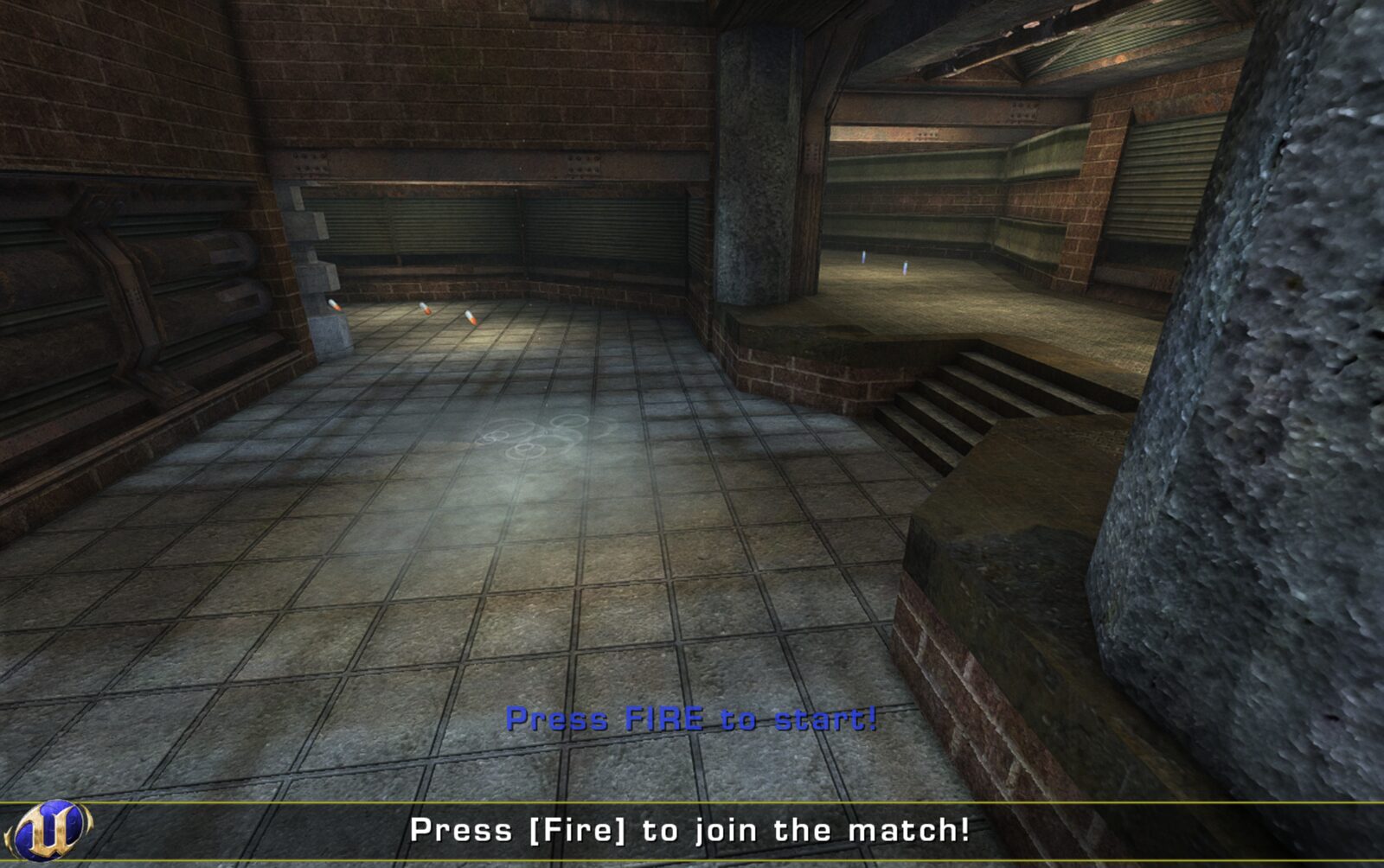
Every zone in a UT2004 map comes with reverb settings: room size, decay time, reflections. On Windows these played through Creative’s EAX. On macOS EAX doesn’t exist, so every room sounded equally dry.
OpenAL Soft has an effect modelled on EAX reverb with almost the same parameters, so the zones’ settings now carry over nearly one to one. On DM-Asbestos the reverb switched ten times during one flyby: a large pipe with an 8.45 second decay, a gymnasium, a chapel, a concert hall. Sounds behind walls are now muffled through a low-pass filter instead of just getting quieter, and there’s an HRTF option for headphones.
What It Means for Playing on a Mac
Numbers in a profiler are one thing. This is what changed when actually playing on a MacBook Pro.
Power and battery. With vsync on at 120 Hz, the game’s CPU power dropped from 3.47 W to 0.43 W, about an eighth, measured by macOS’s own per-process energy counter. A short powermetrics sample during a flyby put the whole chip, CPU and GPU together, at around 2 W while playing. I haven’t measured battery life end to end, since the display and the rest of the laptop draw power too, but the game itself is no longer what drains it.
Smoothness. Before, more than one frame in ten missed the 120 Hz refresh and stayed on screen for three refreshes, which showed up as an average of about 85 fps. Now the median frame lands right on the 8.3 ms refresh, nine frames in ten take 9.8 ms or less, and the average is about 117 fps. On a ProMotion display that’s the difference between a game that hitches and one that doesn’t.
Image quality at a fraction of the cost. The world renders at 67% of the screen, and the temporal upscaler brings back native-level detail on still scenes, so every effect runs at about half the pixels.
No freezes. Loading a map from the menu used to freeze the game for good. The engine’s precache draws two frames it never presents, each held one of Metal’s frame slots, and with one frame in flight the next waited forever. Those frames are now submitted without being shown.
Sound that matches the room. Each zone’s reverb from the original maps plays through OpenAL Soft, sounds behind walls are muffled, and HRTF is there for headphones.
And it all runs natively on arm64: no Rosetta, no OpenGL translation layer in the way.
What’s Next
The changes are on my fork for now. Contributing them upstream means following the project’s rules: an issue first for a new platform, a video of the game running, and pull request descriptions in my own words, saying that AI was used. Fair enough. The first pull request is a small fix to the physics library so it builds on macOS versions before 26.
Twenty two years later, it still plays great. It just uses a lot less power doing it.